AI Progress Indicator
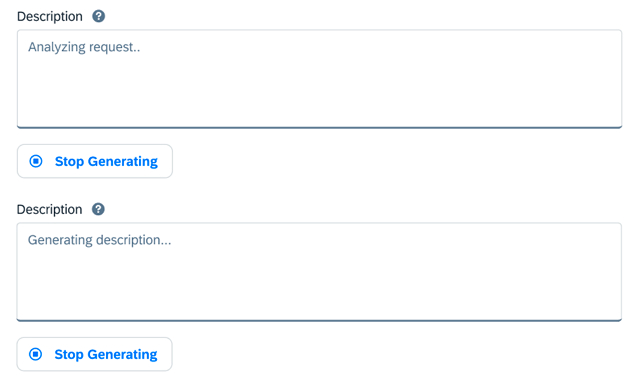
The AI progress indicator informs users about the status of their request while waiting for content to be generated. Its goal is to keep users engaged and informed, manage expectations, and show that the system is actively working.
Usage
Highly recommended when the time for AI to complete generation is unspecified.
Do:
- Show users the system is actively working.
- Inform users of the status of their request.
- Provide real-time updates on the progress of the AI task.
Don't:
- Don't use it for operations that take less than one second.
- Don't use it when providing an estimate of duration.
- Don't apply in non-AI scenarios.
Behavior and Interaction
Once the user triggers content generation, the AI progress indicator appears inside the text area or rich text editor. Its state changes to an information value state that persists until generation is completed or stopped.
Placement: Position within the text area. The text message should be prominently displayed instead of the placeholder text.
Timing: Display one second after generation is triggered. Keep visible for at least 500ms to avoid flickering.