Product News Guidelines
Product news refers to information about recent changes in the product — UI updates or new features — displayed in the SAP Engagement Cloud Platform UI. Unlike messages that aid product usage, product news is temporary and removed when no longer relevant.
What's New Dialog
The What's New Dialog is a platform service that displays product news on any screen when the user logs in. Use it to communicate news about big cycle releases. Content is aligned with release cycles and managed by the Product Organization via an admin interface.
Notification Component
Use the closable inline Notification for most product-specific news.
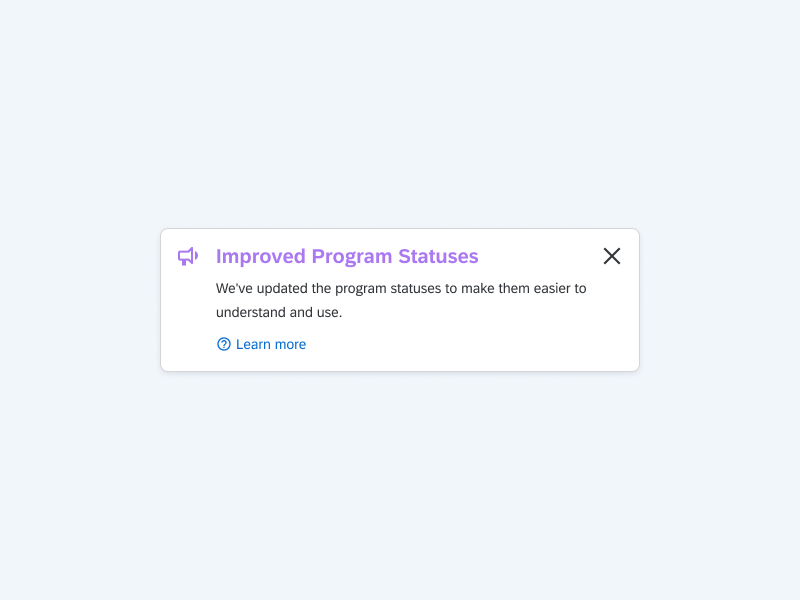
- Top of the page: when the news affects the whole product and the message is important.
- Contextual in the layout (e.g. top of a form in a dialog): when news affects just a certain part of the product and the message is less important.
For product news notifications, use the color purple-500 (for the title and icon) and the icon bullhorn.
The Notification component can be implemented so it can be closed by the user and the browser will remember the setting.
Only use floating Notifications for product news when inline Notifications cannot be implemented properly (e.g. due to layout constraints). In that case, display at the bottom-right when news affects the whole product. Avoid floating notifications at the top-center for news — that position is reserved for feedback messages like errors.
Dialog Component
Avoid using Dialog for product news — dialogs are the most intrusive way to display messages. Since the product cannot be used while a Dialog is open, the user might close it without reading. Only use when the news is critically important and the recommended alternatives have been considered.
Notification Center
Avoid using Notification Center for product news. The Notification Center is intended for system events as they happen (e.g. a scheduled campaign was sent), and product news would be buried by other notifications.